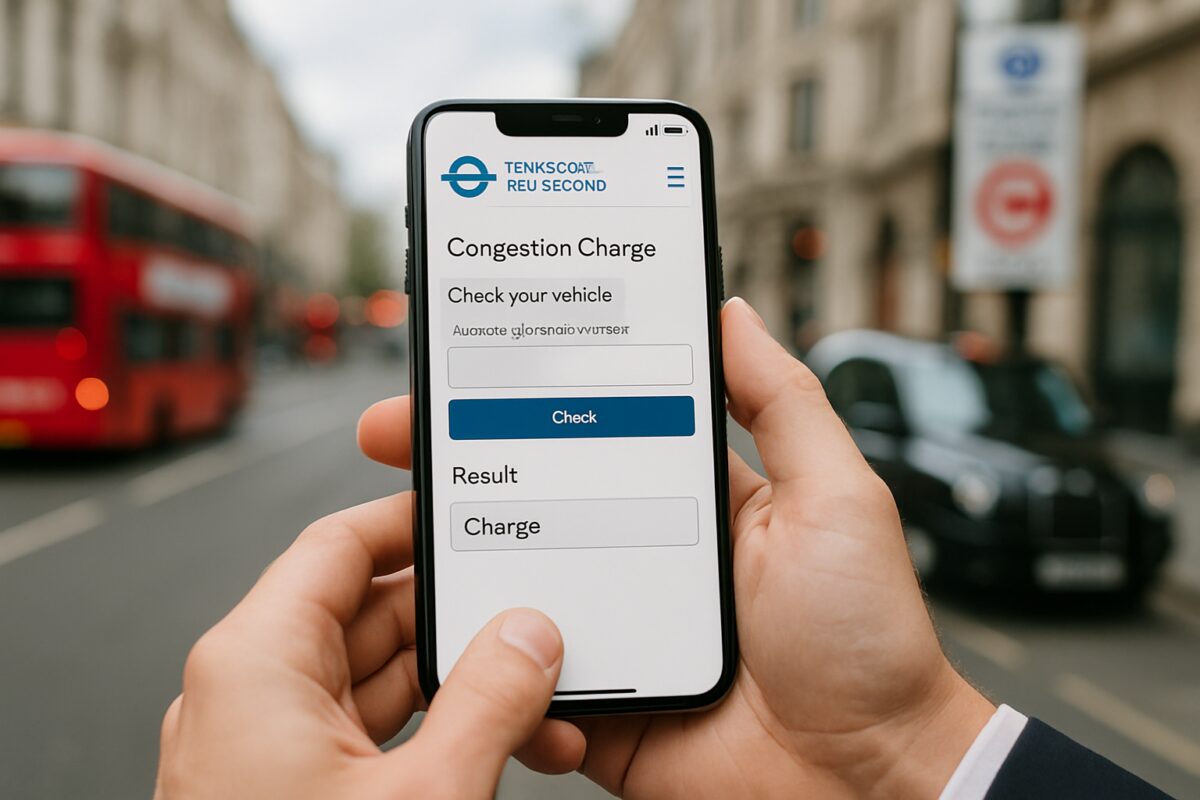
To check congestion charge status, use the official Transport for London (TfL) website or mobile app, providing your vehicle registration number to verify payment status, outstanding charges, or account details. The system shows real-time information about daily charges, automatic payment settings, and penalty notices for the London Congestion Charge zone.
Whether you’re a London resident or visitor, understanding how to check your congestion charge status prevents unexpected penalty notices and helps manage your travel costs effectively.
Quick answer summary
The London Congestion Charge operates Monday to Friday (excluding public holidays) from 7:00 AM to 6:00 PM in Central London. The daily charge applies to most vehicles entering the designated zone, with various payment methods and exemptions available.
Modern vehicles often feature advanced monitoring systems that can help track your journeys. Components like sensors in your vehicle work alongside urban infrastructure to monitor traffic patterns and support congestion management systems.
Tools and parts required
Information needed:
- Vehicle registration number (number plate)
- Date of travel (if checking historical charges)
- Payment reference number (if applicable)
- Account details (for registered users)
Equipment required:
- Computer, smartphone, or tablet
- Internet connection
- Web browser or TfL app
- Payment card (if settling charges)
Safety precautions
Always use official TfL channels when checking congestion charge status. Avoid third-party websites that may charge additional fees or compromise your personal information. Keep your payment details secure and never share account credentials.
Be aware that fraudulent websites sometimes mimic official TfL pages. Always verify you’re on the genuine gov.uk or tfl.gov.uk domain before entering sensitive information.
Step-by-step instructions
Step 1: Access the official TfL website
Visit the Transport for London website at tfl.gov.uk and navigate to the Congestion Charge section. Alternatively, download the official TfL app from your device’s app store for mobile access.
The website provides a dedicated ‘Check if you need to pay’ tool that’s free to use and doesn’t require account registration for basic checks.
Step 2: Enter your vehicle details
Input your complete vehicle registration number in the designated field. The system accepts both formats with and without spaces. Double-check the registration number for accuracy, as incorrect entries will show ‘no charges found’.
Select the date you want to check if looking for historical charges. The system maintains records for several months, allowing you to review past journeys and payment status.
Step 3: Review charge status
The system displays your vehicle’s charge status, showing whether payment is required, already made, or if penalties apply. Outstanding charges appear with payment deadlines and available payment options.
For vehicles with automatic payment set up, the status shows ‘Auto Pay registered’ along with the payment method and next charge date.
Professional tip from AutoPartsPro mechanics: Many modern vehicles include journey recording features through their control units. These can help you track your London journeys and correlate them with congestion charge requirements.
Step 4: Check penalty notices
If penalty notices appear, review the details carefully. The system shows the original charge date, penalty amount, and current status. Early payment often reduces penalty amounts significantly.
Navigate to the ‘Penalty Charge Notices’ section for detailed information about outstanding fines, payment deadlines, and dispute procedures if you believe the charge is incorrect.
Step 5: Manage your account settings
For frequent London drivers, create a TfL account to set up Auto Pay, which automatically charges your registered payment method when your vehicle enters the congestion zone.
Account holders can view journey history, manage payment methods, update vehicle details, and receive email notifications about charges and account activity.
Common mistakes to avoid
Many drivers forget that the congestion charge applies to weekend journeys during special events or temporary extensions. Always check current operating hours before travelling, as these can change during major events or roadworks.
Confusion often arises between the Congestion Charge and the Ultra Low Emission Zone (ULEZ). These are separate charges with different boundaries, operating times, and exemption criteria.
Never assume that electric or hybrid vehicles are automatically exempt. While some qualify for discounts or exemptions, others still incur the full daily charge depending on their specifications and registration date.
Avoid using unofficial websites that claim to check congestion charge status. These often charge unnecessary fees and may not provide accurate information.
Expert advice from AutoPartsPro specialists: Keep your vehicle’s battery and electrical systems well-maintained. Some modern features that help with urban driving and journey planning rely on these components working properly.
When should you check congestion charge status?
Check your congestion charge status immediately after driving through Central London during charging hours. This helps you identify any missed payments before penalty notices are issued.
Regular users should monitor their Auto Pay status monthly to ensure payment methods remain valid and account details are current. Expired cards or insufficient funds can result in penalty notices even for registered users.
Review your account before travelling if you haven’t driven in the congestion zone recently. Account settings may have changed, or your vehicle details might need updating.
Check status during holiday periods when operating hours may differ from standard Monday-Friday schedules. Bank holidays and special events can affect when charges apply.
Related services you can manage online
TfL’s online platform offers comprehensive vehicle-related services beyond congestion charge checking. You can manage ULEZ compliance, register for resident discounts, and handle dart charge payments for the Dartford Crossing.
The system also provides journey planning tools that show congestion charge zones, helping you plan alternative routes. Integration with traffic updates helps optimise travel times and costs.
Fleet managers can register multiple vehicles and set up bulk payment arrangements. This streamlines administration for businesses operating in London and provides detailed reporting for expense management.
Consider registering for TfL’s business account if you operate commercial vehicles. This provides additional tools for managing multiple vehicles and accessing detailed journey reports for accounting purposes.
Frequently asked questions
Can I check congestion charge status for any vehicle?
You can only check status for vehicles you own or have authority to manage. The system requires verification for security purposes.
How long do I have to pay after entering the zone?
Payment must be made by midnight the following charging day. Late payments incur penalty charges with increasing amounts over time.
Does the congestion charge apply to motorcycles?
Motorcycles, mopeds, and scooters are exempt from the congestion charge but may still be subject to ULEZ charges depending on emissions.
Can I get a refund if I paid by mistake?
Refunds are possible in specific circumstances, such as vehicle breakdowns or if you didn’t actually enter the charging zone during operating hours.
What happens if I forget to pay?
Failure to pay results in a Penalty Charge Notice, starting at £160 but reduced to £80 if paid within 14 days.
Managing your congestion charge obligations effectively requires regular monitoring and understanding of the system’s requirements. With proper vehicle maintenance, including reliable alternator components for consistent electrical power, your modern vehicle’s navigation and journey tracking features can help you stay organised when travelling through London’s charging zones, ensuring compliance with urban driving regulations while maintaining optimal vehicle performance.

 Loading...